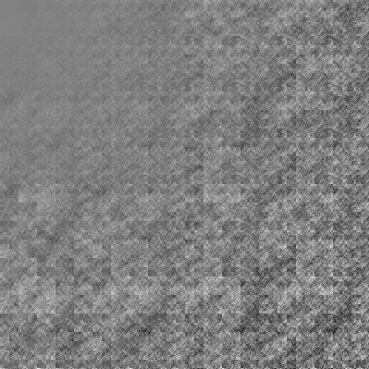
This other day, I was looking up ways to create synthetic data to capture foggy patterns in endoscopic videos as a side project for my mid-term. I found out that perlin noise can be used to create realistic textures at low computational overhead and provide temporal consistency across frames due to its pseudo-random changes to variables. Perlin noise is a type of gradient noise and can be created in three simple steps.
Setup
Input Point: Let the input point be $(x,y)$, located inside a grid cell.
Grid Cell: The cell is defined by its four corner points (candidate points) at integer coordinates:
Bottom-left: $(i,j)$, where $i$ =$⌊x⌋$, $j=⌊y⌋$.
Bottom-right: $(i+1,j)$
Top-left: $(i, j+1)$
Top-right: $(i+1,j+1)$
Gradient Vectors: Each corner has a random gradient vector (a 2D unit vector), denoted:
$g_{00}$ at $(i,j)$,
$g_{01}$ at $(i+1,j)$,
$g_{10}$ at $(i,j+1)$,
$g_{11}$ at $(i+1,j+1)$,
Distance Vectors: For each corner, the distance vector from the corner to the input point $(x,y)$ is:
For $(i,j):(x-i,y-j)$.
For $(i+1,j):(x-(i+1),y-j)$
For $(i,j+1)$ $:(x-i, y-(j+1))$
For $(i+1,j+1)$ $:(x-(i+1),y-(j+1))$
Dot Products: Compute the dot product of each distance vector with the corresponding gradient vector to get four scalar values:
$d_{00} = g_{00}.(x-i, y-j),$
$d_{01} = g_{01}.(x-(i+1), y-j),$
$d_{10} = g_{10}.(x-i, y-(j+1)),$
$d_{11} = g_{11}.(x-(i+1), y-(j+1)),$
These four values $d_{00},d_{10},d_{01},d_{11}$ represent the contributions of each corner to the noise at the input point.
Interpolation
For 2D, the interpolation uses a smoothstep (5-degree polynomial) with 1st and 2nd derivative zero. This makes the noise zero close to the grid corners generating an overall smooth variation.
$\text{smoothstep}(t) = 6t^5 - 15t^4 + 10t^3$
Assume: $u=x−i,v=y−j$ . $0≤u, v ≤ 1$
$u' = smoothstep(u)$ and $v'=smoothstep(v)$
The four dot product values are interpolated in two steps: first along the x-direction, then along the y-direction.
Along x-axis:
- Bottom edge between $(i,j) \text and (i+1,j)$ $=(1−u')⋅d_{00}+u'⋅d_{10}$ - (1)
- Top edge between $(i,j+1) and (i+1,j+1) =$ $(1−u')⋅d_{01}+u'⋅d_{11}$ - (2)
Along y-axis:
$final=(1−v')⋅(1) +v'⋅(2)$ $final=(1−v')⋅[(1−u')⋅d_{00}+u'⋅d_{10}]+v'⋅[(1−u')⋅d_{01}+u'⋅d_{11}]$
import numpy as np
import matplotlib.pyplot as plt
def smoothstep(t):
    return 6 * t**5 - 15 * t**4 + 10 * t**3

def generate_grid(w, h):
    angles = np.random.uniform(0, 2 * np.pi, (h, w))
    grad = np.stack((np.cos(angles), np.sin(angles)), axis=-1)
    return grad

def perlin_noise(x, y, grad, grid_width, grid_height):
    i, j = int(np.floor(x)), int(np.floor(y))
    u, v = x - i, y - j
    i0, i1 = i % grid_width, (i + 1) % grid_width
    j0, j1 = j % grid_height, (j + 1) % grid_height
    g00 = grad[j0, i0]
    g10 = grad[j0, i1]
    g01 = grad[j1, i0]
    g11 = grad[j1, i1]

    d00 = np.array([u, v])
    d10 = np.array([u - 1, v])
    d01 = np.array([u, v - 1])
    d11 = np.array([u - 1, v - 1])

    dot00 = np.dot(g00, d00)
    dot10 = np.dot(g10, d10)
    dot01 = np.dot(g01, d01)
    dot11 = np.dot(g11, d11)

    u_ = smoothstep(u)
    v_ = smoothstep(v)

    bottom = (1 - u_) * dot00 + u_ * dot10
    top = (1 - u_) * dot01 + u_ * dot11

    res = (1 - v_) * bottom + v_ * top
    return res

def generate_noise(w, h, grid_width=10, grid_height=10, scale=10.0):
    grad = generate_grid(grid_width, grid_height)
    noise = np.zeros((h, w))

    for y in range(h):
        for x in range(w):
            x_norm = x / w * scale
            y_norm = y / h * scale
            noise[y, x] = perlin_noise(x_norm, y_norm, grad, grid_width, grid_height)
    noise = (noise - np.min(noise)) / (np.max(noise) - np.min(noise))
    return noise
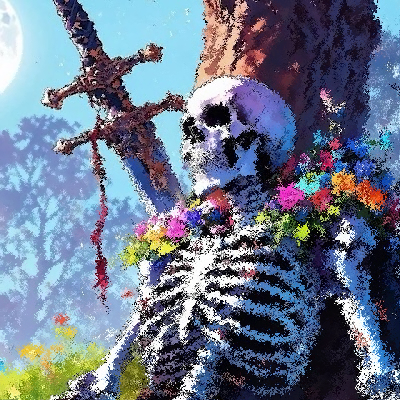
Turns out that you can create many kind of textures by changing the parameters. I created a distorted image applying a fractal texture to an image.