Many apps and links on macOS simply open in whatever browser is set as the default or last active, without offering a choice each time. By default, macOS uses the single system default browser (set in System Preferences/Settings) and does not prompt per-link. This means you might end up opening links repeatedly in the same browser even when you want to choose a different one. I created a custom browser picker pop-up (aka kawaii) using Finicky. This allows me to intercept link clicks and choose between browsers like Safari, Chrome, Firefox, and Brave — and even choose which browser profile to use — all from a native-looking UI.
kawaii UI
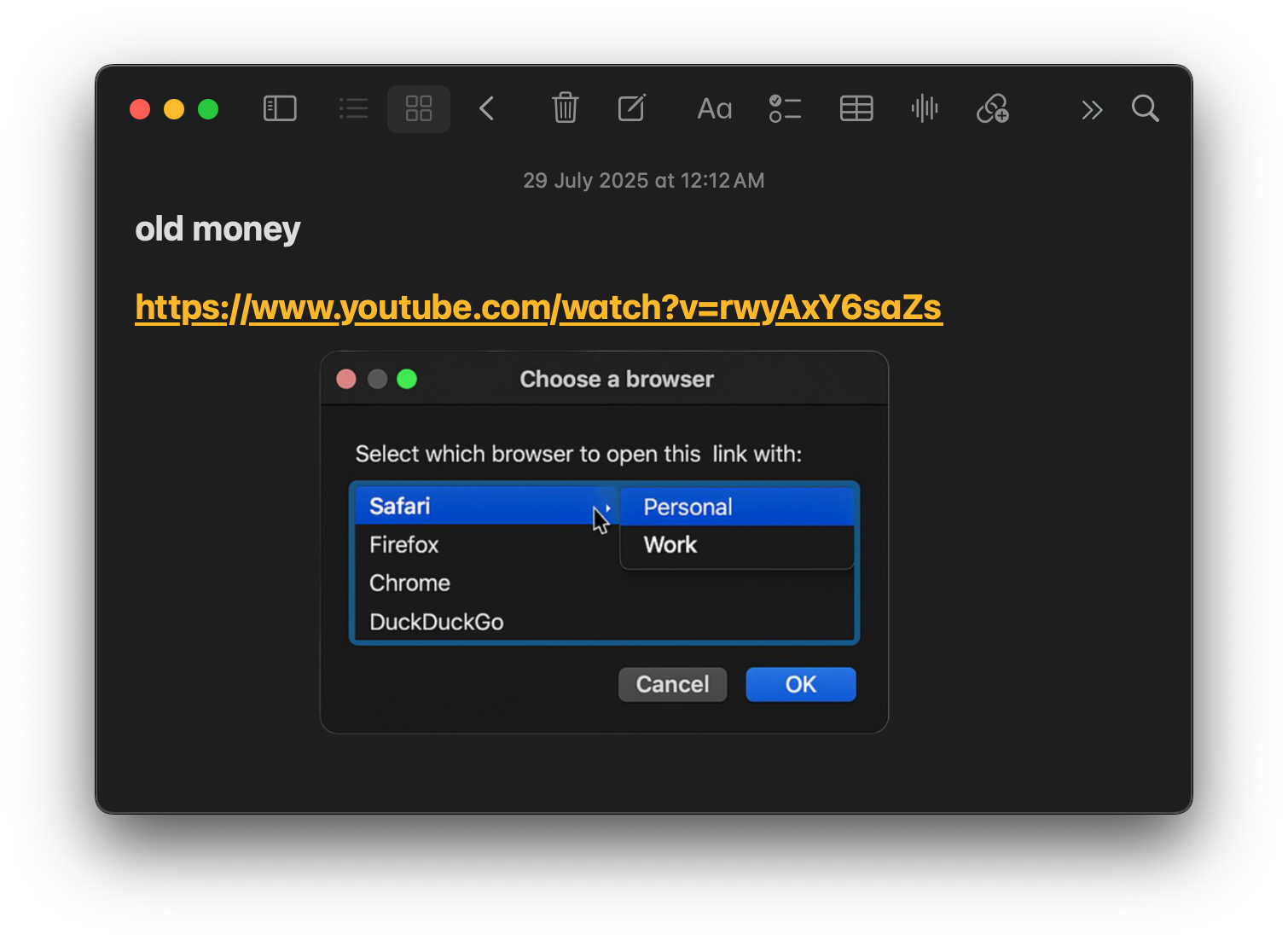
what I followed
1. install finicky
brew install --cask finicky
Then run it once manually to grant permissions(launch at login and default browser to intecept links and route them).
2. write the popup.sh
Create a script at ~/.config/kawaii/popup.sh:
#!/bin/bash

# osascript to prompt for browser & profile
CHOICE=$(osascript <<EOD
set browsers to {"Safari", "Chrome", "Firefox", "DuckDuckGo"}
set browserChoice to choose from list browsers with prompt "Choose your browser" without multiple selections allowed
if browserChoice is false then
  return "Safari"
end if

set profiles to {"Personal", "Work"}
set profileChoice to choose from list profiles with prompt "Choose profile for " & item 1 of browserChoice without multiple selections allowed
if profileChoice is false then
  return item 1 of browserChoice
end if

return (item 1 of browserChoice) & " - " & (item 1 of profileChoice)
EOD
)

echo "$CHOICE"
Make it executable:
chmod +x ~/.config/kawaii/popup.sh
3. create finicky.js
// ~/.finicky.js
export default {
  defaultBrowser: "Safari",
  asyncBrowser: async (url) => {
    const result = await finicky.run({
      command: "~/.config/kawaii/popup.sh"
    })

    const choice = result.stdout.trim()

    switch (choice) {
      case "Chrome - Personal":
        return { name: "Google Chrome", profile: "Gaurav" }
      case "Chrome - Work":
        return { name: "Google Chrome", profile: "spencer" }
      case "Firefox - Personal":
        return { name: "Firefox", profile: "personal" }
      case "Firefox - Work":
        return { name: "Firefox", profile: "work" }
      case "DuckDuckGo - Personal":
        return { name: "DuckDuckGo", profile: "personal" }
      case "DuckDuckGo - Work":
        return { name: "DuckDuckGo", profile: "work" }
      case "Safari":
      default:
        return "Safari"
    }
  }
}
In this setup, whenever Finicky intercepts a link, it runs the async browser function. The function calls our popup script via execSync, reads the chosen name, and returns it in an object {name: "...", profile: "..."} if needed. Finicky then launches that browser (and profile). If the user cancels, we return null to let Finicky use the default or do nothing. (Since Finicky v4, the browser function can be async and use modern syntax. We avoid any old legacy callbacks).
some walls i hit
-
Validation error:
defaultBrowsermissing
This must be set explicitly, even if you're overriding withasyncBrowser. -
No chooseBrowser API Any mention of a built-in chooseBrowser is outdated. Finicky no longer provides a GUI chooser; we handle it ourselves via AppleScript.
Pro Tip: For more advanced UI, you can build your picker using tools like Raycast, Hammerspoon, or SwiftUI.